Top 10 Ecommerce Competitor Price Comparison Methods
Why ecommerce stores should compare competitor prices, what to compare besides the price, the 10 ways to do it from spreadsheets to managed scraping, and how TheDataHQ runs it for you.
By Chirag Jakhariya, Co-founder & CEO · · 10 min read
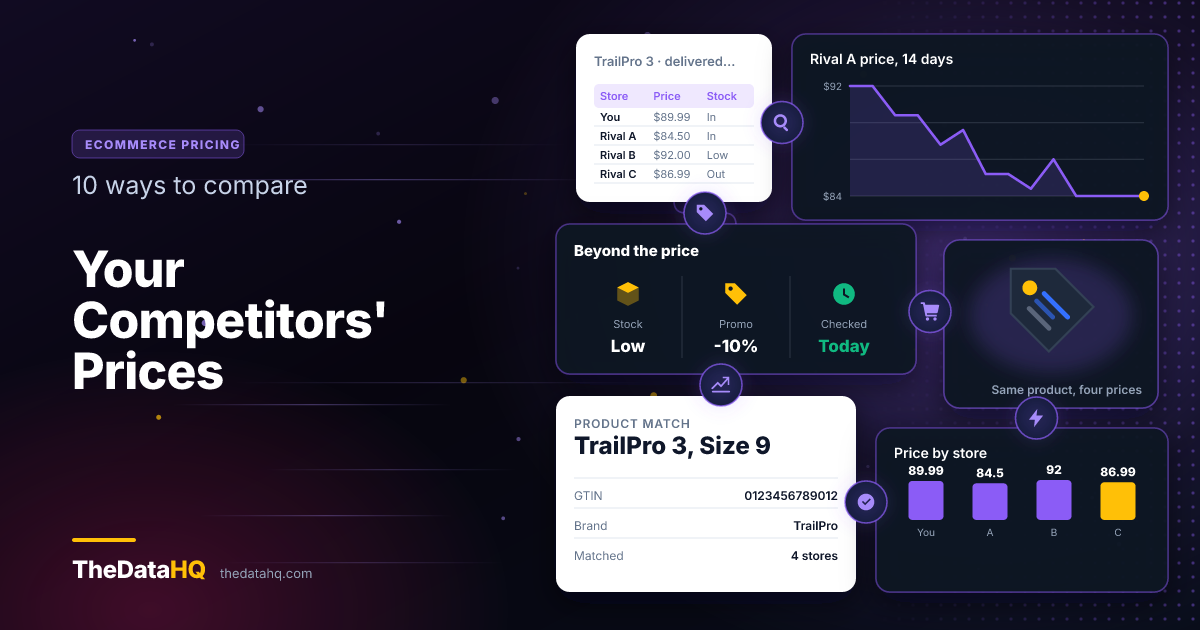
You can compare your competitors' prices by collecting the price of the same product from each rival store, matching it to your own listing, and repeating the check on a schedule. There are ten common ways to do it, from a free weekly look at their websites to a done-for-you daily data feed. A spreadsheet works for a few dozen products. Once you track hundreds of products across several competitors, you need the work automated, or handed to someone who does it for you.
This guide covers why competitor price comparison matters, what to compare, the ten ways to do it, and how TheDataHQ can run the whole job so your team only has to read the results.
What Are the 10 Ways to Compare Competitor Prices?
Here they are, in order of how much of the work you do yourself:
- Check competitor websites by hand
- Keep a competitor price comparison spreadsheet
- Search price comparison sites and shopping tabs
- Watch competitor listings on marketplaces
- Sign up for competitor emails and alerts
- Use browser extensions and price-drop alerts
- Use competitor price tracking software
- Use a repricing tool
- Build your own price scraper
- Hire a managed price scraping service
The first five are free and manual. The last five save time, and they cost money, developer effort, or both. Each one is explained below.
What Is Competitor Price Comparison?
Competitor price comparison means putting your price for a product next to what your rivals charge for the same product. Done once, it's a snapshot. Done every day, it shows you how the market moves and who moves it.
What is competitor pricing?
Competitor pricing, also called competitive pricing, is setting your prices with your rivals' prices in mind. You might match them, sit slightly under them, or charge more and justify it with faster delivery or better service. You can't do any of those on purpose without knowing what they charge.
What is competitor pricing analysis?
It's the step after the comparison. Comparison tells you the numbers. Analysis asks what they mean:
- Which competitor is cheapest, and on which products?
- Who changes prices first, and does everyone else follow?
- When do discounts start, and how deep do they go?
- Where are you priced higher than you need to be?
Why Should You Compare Competitor Prices?
Because your customers already do. In a 2023 Shopify survey of 12,000 shoppers in six countries, 84% said they would compare prices to find the best deals. If a shopper can see a rival's price in ten seconds, you should see it before they do.
What happens if you don't track competitor prices?
Usually nothing dramatic, just a slow leak:
- You lose sales quietly when a rival undercuts you on your best sellers
- You give away margin by discounting products where you were already the cheapest
- You react late to a competitor's sale, often after it has ended
- You miss openings, like a rival running out of stock on a product you have plenty of
What can competitor price data tell you?
More than the price. Collected over a few weeks, it shows:
- When each competitor runs promotions, and for how long
- Which products they treat as traffic drivers, priced low to bring shoppers in
- How often they change prices, which tells you if they use automated pricing
- Whether sellers of your brand stick to your MAP, or minimum advertised price, the lowest price a brand allows retailers to advertise
What Should You Compare Besides the Price?
The shelf price alone can mislead you. A product that looks $3 cheaper can cost more once it reaches the basket. Compare these too:
- Shipping cost and the free-delivery threshold
- Stock status, because a low price on an out-of-stock item doesn't compete
- Promotions: coupon codes, multi-buy offers, bundle deals
- Pack size, so you compare price per unit, not per box
- Delivery time, which many shoppers will pay a little more for
- Reviews and ratings, which change how much price matters
How Do You Match the Same Product Across Stores?
This is the hardest part, and the one most people skip. Two stores rarely name a product the same way. "TrailPro 3 Running Shoe, Men's, Size 9" on one site might be "Mens TrailPro3 Runner 9" on another.
Match on these, in order of reliability:
- Barcode numbers: the GTIN or EAN, the number printed under the barcode, is the same everywhere
- Manufacturer part number, the maker's own code for the product
- Brand, model and size together, when neither number is shown
- A person checking the uncertain matches, because a wrong match gives you a wrong comparison
Get matching right once, save it, and every comparison after that is quick.
What Are the Manual Ways to Compare Competitor Prices?
Ways 1 to 5 cost nothing but time. They're the right place to start if you sell a small range or you're not sure yet which competitors matter.
1. Check competitor websites by hand
Open each rival's site, search for your key products and note the prices. Go as far as the basket to see the real delivered cost. It's free and accurate on the day, but it takes hours and it's out of date by next week.
Best for: fewer than 20 products and three or four competitors.
2. Keep a competitor price comparison spreadsheet
Put your manual checks in one Excel or Google Sheets file, so you can see changes over time. A simple competitor price comparison template needs these columns:
| Column | What goes in it |
|---|---|
| Product and barcode | Your product name and its GTIN, so matches stay fixed |
| Your price | What you charge today |
| Competitor A, B, C price | One column per rival |
| Delivery cost | So you compare the delivered price |
| In stock? | Yes or no for each rival |
| Gap | Your price minus the lowest rival price |
| Date checked | So you know how old each number is |
Add conditional formatting to turn the gap red when you're more than 5% above the cheapest rival, and the sheet shows you where to look first. If you want to fill it without typing, our guide on extracting website data to Excel covers the options.
3. Search price comparison sites and shopping tabs
Google Shopping and price comparison sites put many sellers of one product on a single page. Searching your best sellers there shows you who else sells them, which is how many stores find competitors they didn't know they had.
The catch: only stores that list themselves there appear, and the prices shown can lag behind the stores' own sites.
4. Watch competitor listings on marketplaces
If you sell on a marketplace, your competitors are on the same product page as you. Check who holds the main "add to basket" spot, often called the Buy Box, and at what price. On most marketplaces, price is a big part of who wins it.
5. Sign up for competitor emails and alerts
Subscribe to each rival's newsletter and follow their social accounts. Sales, discount codes and seasonal offers usually appear there first. It won't give you prices product by product, but it tells you when to look.
What Are the Automated Ways to Compare Competitor Prices?
Ways 6 to 10 collect prices for you. They make sense once manual checking takes more than a few hours a week, or once being a day late costs you sales.
6. Use browser extensions and price-drop alerts
Price-tracking browser extensions will email you when a product you're watching changes price. They're free or cheap and take minutes to set up. They're built for shoppers, though, so they handle a handful of products, not a catalogue.
7. Use competitor price tracking software
Tools such as Prisync and Price2Spy are made for this job. You give them your product list and your competitors' product links, and they check prices on a schedule and show the results on a dashboard, with alerts.
- Good for: small and mid-sized stores that want a ready-made screen to look at
- Watch for: limits on how often prices refresh, tiers that cap how many products you can track, and competitor sites the tool can't read well
- Free versions: both of those offer a free trial rather than a free plan, so test with your real competitors before paying
8. Use a repricing tool
A repricer watches competitor prices and changes your own price automatically, within limits you set. "Stay 1% under the cheapest rival, but never below $20" is a typical rule. They're most common with marketplace sellers. Set the floor carefully: two repricers chasing each other can drive a price down to cost in an afternoon.
9. Build your own price scraper
A price scraper is a small program that visits product pages and copies the price, stock and other details into a file for you. If you have a developer, you can build one for exactly the sites and fields you need.
Building it is the easy part. Keeping it working is the job:
- Competitor sites change their layout, and the scraper stops finding the price
- Some prices only load after the page opens, which needs more complex tools to read
- Sites limit how fast you can visit, so a well-behaved scraper must slow down and respect them
- Someone has to notice when the numbers go wrong, before a pricing decision is made on them
We've written about why web scrapers break if you want the detail.
10. Hire a managed price scraping service
A managed service does everything in way 9 for you. You say which competitors and products you care about. They collect the prices, match the products, check the data and deliver it on a schedule. When a competitor's site changes, fixing it is their problem, not yours.
This is what TheDataHQ does. More on how it works further down.
Which Way Is Right for Your Store?
It mostly depends on how many products you track and how fast your market moves.
| Way | Cost | Your time | Scale | Freshness |
|---|---|---|---|---|
| 1-5. Manual checks | Free | High | Tens of products | Weekly at best |
| 6. Browser extensions | Free or cheap | Low | A handful | When prices change |
| 7. Tracking software | Monthly plan | Medium | Hundreds to thousands | Daily or more |
| 8. Repricing tool | Monthly plan | Low once set up | Your marketplace listings | Near real time |
| 9. Your own scraper | Developer time | High, ongoing | Any | Any |
| 10. Managed service | Quote or retainer | Lowest | Any | Any |
What is the best competitor price tracker for small ecommerce?
For a small store, start with a spreadsheet and weekly checks, then move to tracking software when that takes too long. A managed service starts to pay off when your competitors' sites are hard for off-the-shelf tools to read, when you need data the tools don't collect, or when nobody on your team has time to look after it.
How Often Should You Check Competitor Prices?
As often as your competitors change them. A rough guide:
- Several times a day: electronics, marketplaces, and anything a competitor reprices automatically
- Daily: most consumer ecommerce, and every day during sales seasons
- Weekly: specialist, B2B or slow-moving catalogues
Start daily for two weeks. The data will show you how often prices actually move, and you can slow down from there.
Is Price Scraping Legal?
Generally, yes, when it's done carefully. Prices are public, they aren't personal data, and comparing them is ordinary business practice. What matters is how you collect them:
- Collect only what any visitor can see, never from behind a login
- Read each site's terms of use, because they can restrict automated collection
- Visit at a reasonable pace, so you don't slow the site down
- Don't copy whole product descriptions or images to use as your own
This is a general guide, not legal advice. Rules differ by country, so ask a lawyer about your own case.
How Can TheDataHQ Help You Compare Competitor Prices?
We run the whole job for you. You tell us which competitors and products matter. We deliver matched, checked competitor prices on the schedule you choose, and keep it working when their websites change. Your team reads the results and makes pricing decisions. That's the only part left for them.
What does TheDataHQ collect?
Our price scraping service covers:
- Prices and price changes, stored over time so you can see the history
- Stock status, so you know when a rival runs out
- Promotions: sales, coupons and discounts
- MAP monitoring, if you're a brand checking your sellers
- Prices in one currency, when your competitors sell in several
How does the service work?
- Send us your list: competitor websites, your products and the fields you need
- Get a free sample so you can check the data before you pay anything
- Agree the schedule and format: Excel, CSV, a Google Drive folder, or straight into your own systems
- Receive the data daily, weekly, or as often as you need
- We fix breaks when a competitor changes their site, usually before you notice
Most projects start within a few days of agreeing what you need, and a single straightforward site is usually running within a week.
Why is it less stressful than doing it yourself?
- No developer to hire, and no scraper to babysit
- No broken Monday reports because a competitor redesigned their site over the weekend
- No product-matching headaches: we match and check the products for you
- No surprises about what's allowed: we only collect public, non-personal data, and we tell you up front if a request crosses the line
- The data is yours. We don't resell it or reuse it for anyone else, and we sign NDAs
What does TheDataHQ cost?
There are three ways to pay: a fixed price for a one-off comparison, a weekly or monthly retainer for ongoing monitoring, or a dedicated developer who works as part of your team. Most price monitoring runs on a retainer, because prices never stop changing. See our pricing options for what each includes.
What has it looked like for other stores?
One ecommerce client was setting prices from a weekly manual check of a handful of competitors, so they reacted days after the market moved. We automated monitoring across more than 200 competitor sites, with daily pricing reports and alerts when a tracked product changed. That's a past project, not a promise, but it's typical of the work. More in our case studies.
Want to see your own competitors' prices side by side? Send us a few product links and we'll return a free sample.
Questions People Ask About Competitor Price Comparison
What is price scraping?
Price scraping is using software to collect prices from websites automatically, instead of copying them by hand. A scraper visits each product page, reads the price, stock and other details, and saves them to a spreadsheet or database. Ecommerce businesses use it to compare competitor prices, track discounts and check that sellers respect a brand's minimum advertised price.
Is price scraping illegal?
Generally not. Prices are public and aren't personal data, and comparing them is normal business practice. It can become a problem if you collect from behind a login, ignore a site's terms of use, visit so fast that you slow the site down, or copy protected content like images and descriptions. This isn't legal advice, so check your own situation with a lawyer.
How do I make a competitor price comparison Excel sheet?
Make one row per product, with its barcode number so matches stay fixed. Add a column for your price, one for each competitor's price, and columns for delivery cost, stock status and the date checked. Add a gap column that subtracts the lowest rival price from yours, and colour it red when you're more than 5% higher.
Is there free competitor price monitoring software?
Not really. Most tracking tools offer a free trial, not a free plan. Price-drop browser extensions are free and handle a few products, which suits a very small store. For a real catalogue, dedicated tracking tools charge a monthly fee that rises with the number of products you track. A spreadsheet with weekly manual checks is the most complete free option, as long as someone has the time to keep it updated.
What is automated competitor price monitoring?
It's software collecting competitor prices on a schedule, with no one checking by hand. It can be a tracking tool you subscribe to, a scraper you build, or a managed service that runs it for you. You get the prices daily, or more often, with alerts when something changes. That lets you react the same day instead of the next week.
How many competitors should I track?
Start with the three to five stores that your customers most often compare you with, usually the ones that appear next to you in search results and on shopping tabs. Add others once you see who moves prices first. Tracking twenty competitors badly is less useful than tracking five well, with every product matched correctly.