How to Scrape Dynamic Websites in 2026 (5 Real Options)
Modern sites build their pages in your browser, so a plain download comes back empty. How to tell whether your target site works that way, the five ways to get the data out, what each one costs you, and what a custom build actually includes.
By Chirag Jakhariya, Co-founder & CEO · · 9 min read
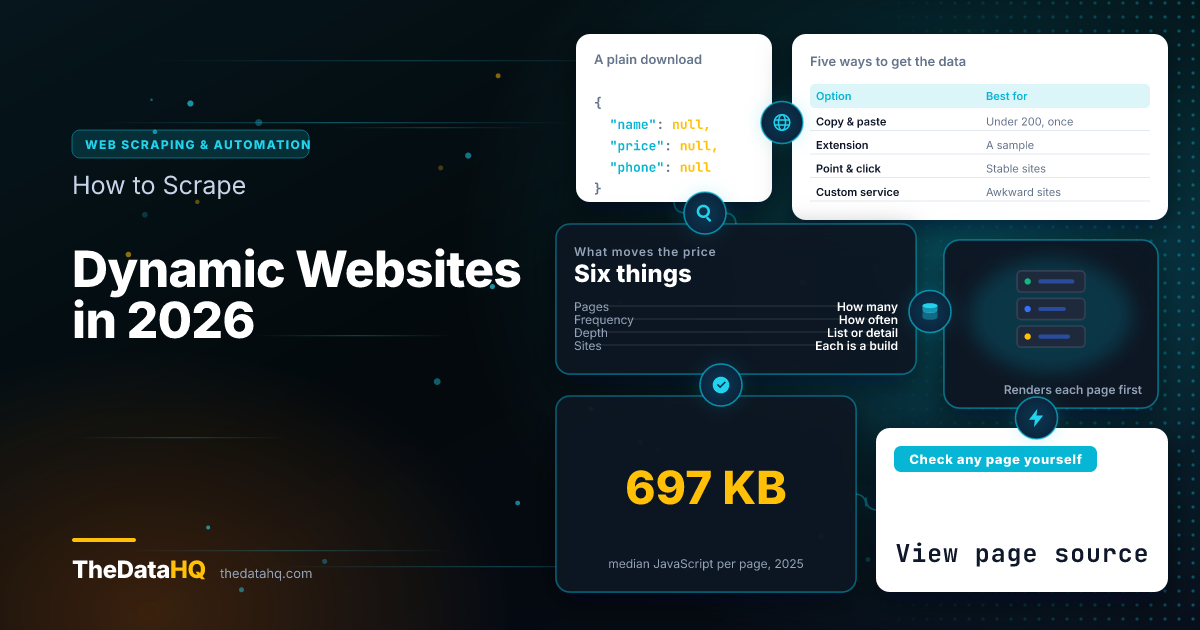
Yes, you can collect data from a modern website, and the method is the same one you're using right now: a real browser. Sites built with React, Vue or Angular send a near-empty page plus a program, and the program fills in the content once it's running. A plain download gets the empty version. A browser that runs the page's code sees what you see.
That's the whole difficulty, and it's why these jobs cost more than collecting from an old-fashioned site. Here's how to tell which kind you're dealing with, the five ways to get the data out, and what each one costs you.
What Is a Dynamic Website?
A dynamic website is one that builds its page in your browser rather than sending it ready-made. The server hands over a shell and a set of instructions, and the content arrives a moment later, usually from a separate request you never see.
You already know what this feels like. The results appear a beat after the page does, filters change the list without the page reloading, and more rows arrive as you scroll.
The sites most people want data from are almost all built this way now:
- Product catalogues with filters down the side
- Listings sites where scrolling loads the next batch
- Prices and stock counts that update without a refresh
- Review sections that only appear when you click "show more"
- Maps and directories that redraw as you move around
How Do You Know if Your Target Site Is Dynamic?
You don't need a developer for this. Three checks, and you'll know which kind of job you're asking for before you ask for a quote.
How do you check a page in one minute?
- Look at the source. Right-click the page, choose "View page source", then search it for a price or a name you can see on screen. If it isn't in there, the browser built it after loading.
- Save the page and reopen it. Save as HTML, then open the file with no internet. A static page still shows its content. A dynamic one comes back blank.
- Scroll to the bottom. If more results appear and the address bar never changes, the content arrives in batches rather than all at once.
Two of three means the data is assembled in the browser, and any quote you get should say how that's handled.
Why Are Modern Websites Harder to Scrape?
Not because anyone is hiding the data. Because the page you're looking at doesn't exist until a program has run.
The scale of that shift is measurable. The median home page now ships 697 KB of JavaScript on desktop and 632 KB on mobile, according to the 2025 Web Almanac. That's a lot of program for something that used to be a document.
What breaks when the content loads after the page?
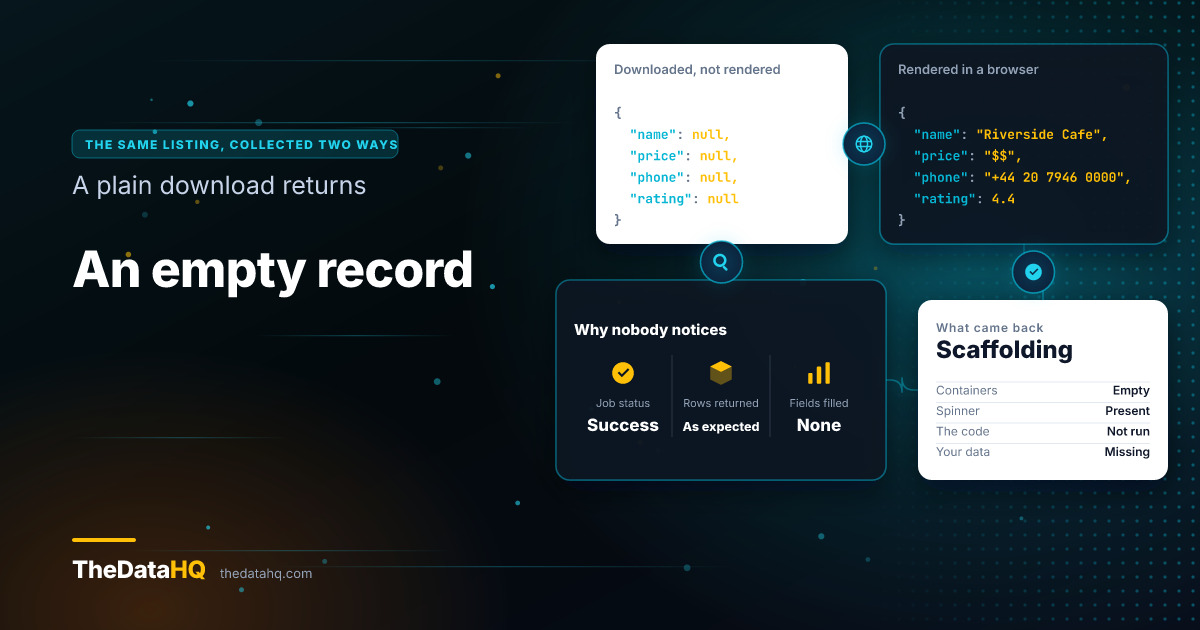
A simple collector asks the server for a page and reads what comes back. On a dynamic site what comes back is scaffolding: empty containers, a loading spinner, and the code that will fill them.
So the collector finds nothing and reports success. That's the failure worth knowing about, because it doesn't look like a failure. You get a file with the right number of rows and nothing in the columns that matter.
Why do sites limit how often you can ask?
Running a browser for every page is slower and heavier than downloading a file, so a big job means a lot of requests. Sites watch for that, and a sensible collector slows down to stay inside what the site publishes as acceptable.
That's a scheduling problem, not a technical trick. It's also the main reason a large job takes days rather than hours: the polite pace sets the ceiling.
Why does the same page look different to different visitors?
Because it often is different. The same address can serve:
- Prices in a different currency depending on where the request comes from
- Two layouts at once, while the site tests which one performs better
- A different sort order, or a different set of promoted results
- A cookie banner covering the content until it's dismissed
None of this stops collection. It does mean "just grab that page" is rarely one job, and a quote that doesn't mention it hasn't looked.
Can You Scrape a Dynamic Website?
Yes. The fix is to stop downloading the page and start rendering it, which means running a real browser with no screen attached, letting the page's code finish, and then reading the result.
Every current tool for this works that way. The difference between the options below isn't whether they can see the content. It's who does the work, what happens when the site changes, and what you're left holding.
How to Scrape Data From a Dynamic Website: 5 Options
Ordered by how much of the work stays with you.
Option 1: Copy and paste it yourself
Worth saying out loud, because for small jobs it wins. Under about 200 records collected once, a person with a spreadsheet is faster than anything you could commission, and the data is correct because someone looked at it.
It stops working the moment the data has to be refreshed, or the count runs past a few hundred.
Option 2: A browser extension
Extensions run inside the browser you already have, so the content is right there and rendering is free. Free ones cap what you can pull out, and you have to sit there while it works.
Good for a sample. Poor for a job you need again next month.
Option 3: A point and click scraping tool
You click the fields you want, the tool records the pattern, and it runs the job on its own machines on a schedule. No code, monthly fee, and a real ceiling: when the site changes its layout you fix it yourself, and when a site is unusual the tool simply can't describe what you need.
These are genuinely good products for straightforward, stable sites. Most catalogue and listings sites are not that.
Option 4: Build it in house
A developer writes the collector with a browser automation library, runs it somewhere, and maintains it. You own everything and you can collect anything.
The build is the small part. What follows is the cost:
- Somewhere for it to run, and someone who notices when it stops
- A fix every time the site's layout moves, which happens regularly
- Checks that catch a run which finished but collected nothing
- The same work again for each additional site
We've written at length about running the scraper yourself or buying the feed, including the case for doing it in house.
Option 5: A custom web scraping service
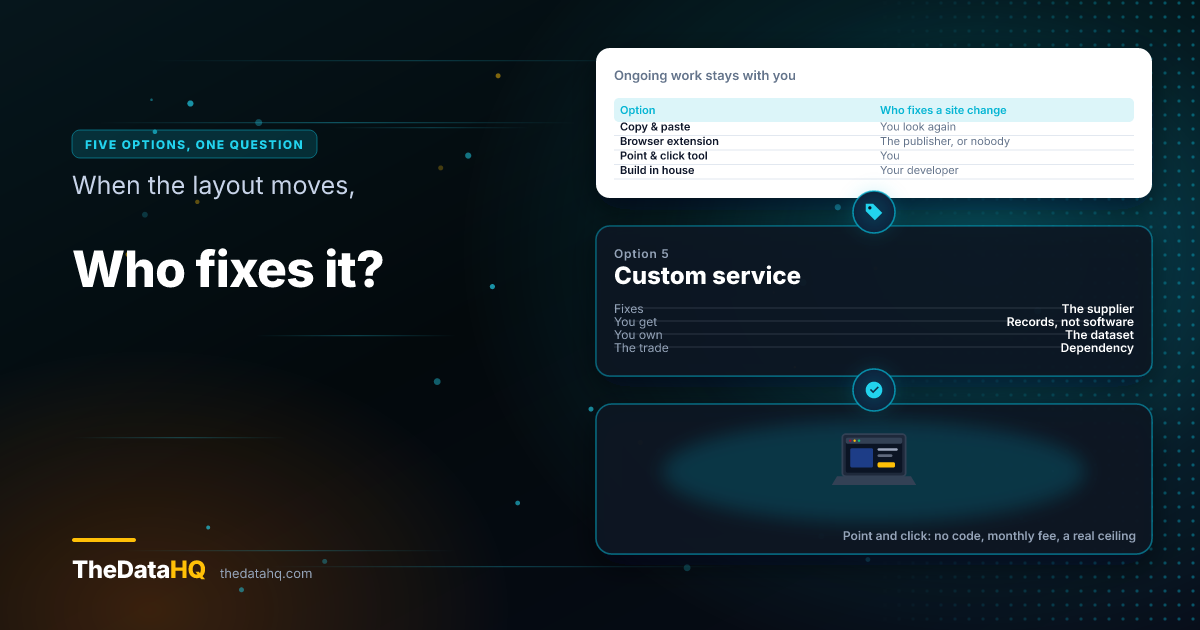
Someone builds it to your field list, runs it, watches it, and sends you data on a schedule. You get records instead of software, and the maintenance is the supplier's problem rather than a line on your roadmap.
The trade is control and dependency. You're buying an outcome, so the questions to ask are about the outcome: who owns the data, how quickly breaks get fixed, and what happens if you leave.
Which option should you pick?
| Option | Best for | Ongoing work for you | Handles a site change |
|---|---|---|---|
| Copy and paste | Under ~200 records, once | All of it | You just look again |
| Browser extension | A sample, or a one-off list | Sit and watch it run | Wait for the publisher |
| Point and click tool | Stable sites, regular refresh | Fix the pattern yourself | Your job |
| Build in house | Core to the product, many sites | Hosting, monitoring, fixes | Your developer's job |
| Custom service | Awkward sites, data you rely on | Checking the data is right | The supplier's job |
What Is Custom Web Scraping?
Custom web scraping means a collector written for your specific sites and your specific fields, rather than a general tool you configure. It exists because dynamic sites vary enormously, and a tool built to handle all of them handles none of them well.
It's the same distinction as a tailored suit and an off-the-peg one. Most people don't need the tailored version. The people who do, need it badly.
What do you get for the money?
- A written field list, agreed before anyone builds anything
- A free sample from your real target pages, so you can check quality first
- Delivery in the format your systems already read
- Monitoring, so a break is spotted before you notice missing data
- Ownership of the dataset, which stays yours and isn't resold
Our custom data extraction work follows exactly that order, and the sample comes before any money changes hands.
How Much Does It Cost to Scrape a Dynamic Website?
It depends on how often you need it, which is why how we price the work comes in three shapes rather than one number:
- Fixed price for a defined dataset with a finish line
- Weekly or monthly retainer for data that has to stay current, with fixes included
- A dedicated developer working inside your team, when the work is continuous
Does web scraping cost money if you do it yourself? Yes, just not on an invoice. A free extension costs you the hours you sit watching it, and an in-house build costs a developer's time every time a site moves.
What makes one site more expensive than another?
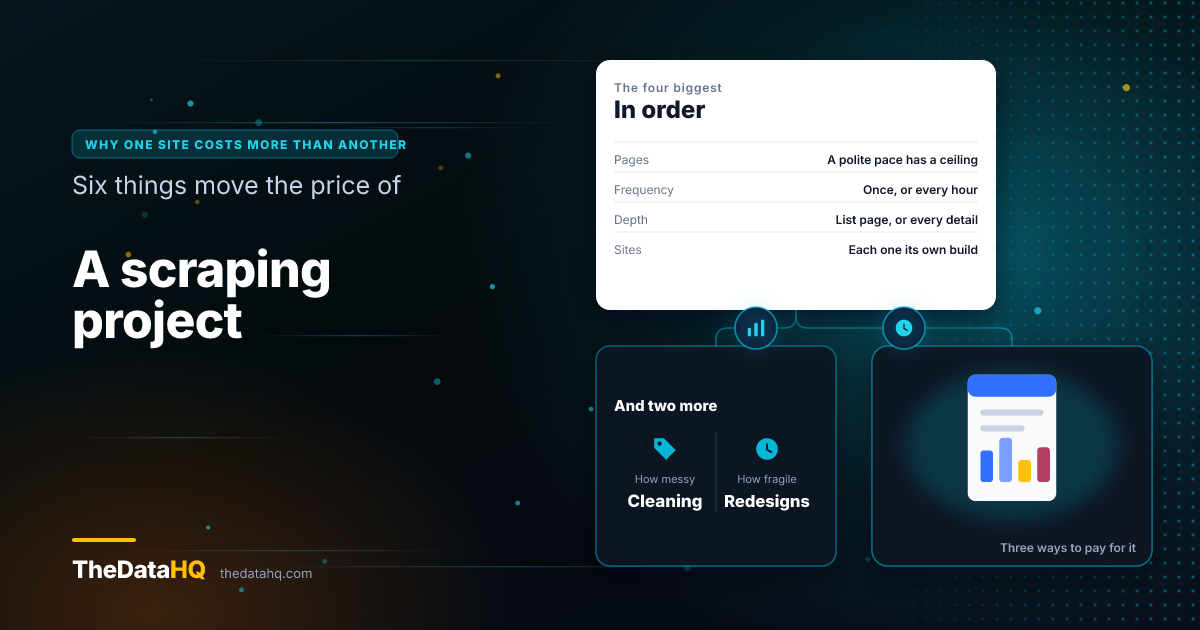
Six things, roughly in order of how much they move the price:
- How many pages. A polite pace has a ceiling, and a million pages takes what it takes
- How often. Once is a project; hourly is a service
- How deep. A list page is cheap; a list plus every detail page behind it is not
- How many sites. Each one is its own build and its own maintenance
- How messy. Fields that need matching, deduplicating or standardising cost more than fields you copy
- How fragile. Sites that redesign often carry a higher maintenance load
How Long Does a Custom Scraper Take to Build?
Most projects start within a few days of the requirements being agreed, and a single straightforward site is usually running within a week. Larger jobs across many sites take longer, and you should get a schedule with the quote rather than a vague estimate.
The slow part is almost never the code. It's agreeing what the fields mean, which is worth doing properly: a fast build against a vague field list produces a dataset nobody trusts.
Is Scraping Dynamic Websites Legal?
Collecting information that's published publicly is generally lawful, but it depends on the site, the data, and where you operate. This isn't legal advice, and a project worth doing is worth ten minutes of your own counsel's time.
Three things apply whether or not the data is public:
- The site's terms bind you as a contract, separately from anything about access
- Database rights in the UK and EU protect substantial extraction from a compiled database, separately from copyright
- Data protection law applies the moment records name people, including the duty to tell them
Our own line is published on the frequently asked questions page: public data only, no personal or identity information, and nothing that needs us to get around a site's access controls or break its terms. If a site doesn't want to be collected from, that's a signal we take seriously rather than a problem to solve.
What Does the Data Look Like When It Arrives?
Rows and fields, in whatever your systems already read: JSON, CSV, Excel, XML, or written straight into your database. Files can drop to storage you control, or the data can come through a web scraping API, which is just a web address your own software asks for the latest records.
A single collected record looks like this, give or take your field list:
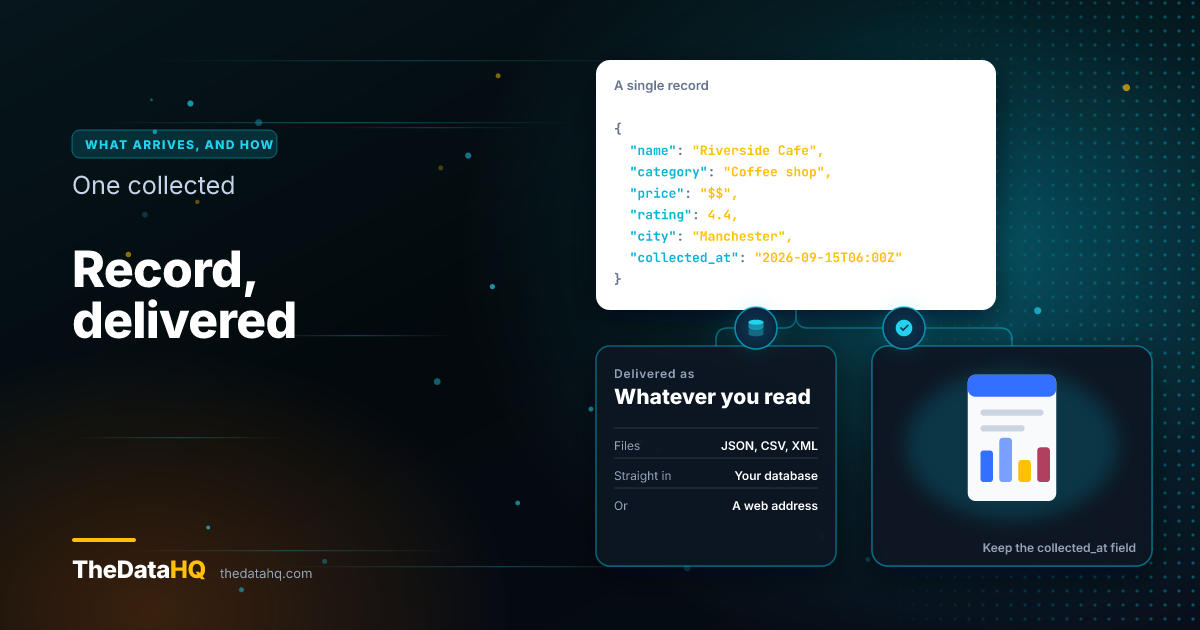
The field that matters most is the last one. A record with no collection time is a record you can't reason about later.
How Do You Keep It Working When the Site Changes?
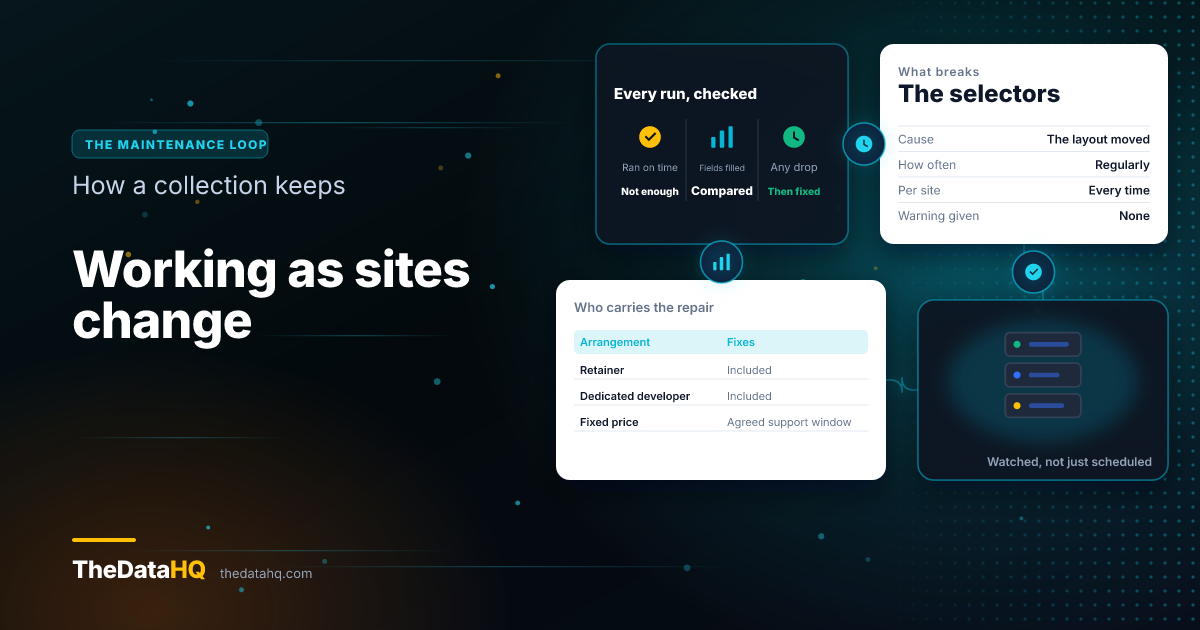
It will change. Layouts move regularly, and each move breaks the selectors, which are the instructions telling the collector where on the page each field sits.
What separates a service from a script is what happens next:
- Watch the data, not just the run. A job that finishes on time and returns empty fields has failed
- Compare against yesterday. A sudden drop in filled fields is the earliest signal you get
- Fix before delivery. Bad data caught after it reaches your systems costs far more to unwind
On a retainer that maintenance is included rather than billed as a change. On a fixed-price project it's a support window agreed upfront, which is the honest version: the work doesn't end at handover, so somebody has to be named for it.
Questions People Ask About Scraping Dynamic Websites
Can you use Playwright to scrape dynamic websites?
Yes. Playwright drives a real browser, so the page's code runs and the content appears exactly as it would on screen. It's one of the two common choices for this, along with Selenium, and both are free and open source. The tool is rarely the hard part of a project. Keeping it working as sites change is.
How do you scrape dynamic websites with Selenium?
Selenium opens the page in a browser, waits for the element you care about to appear, and then reads it. The waiting is the skill. Collect too early and you get an empty container; wait a fixed number of seconds on every page and a large job takes days longer than it needs to.
Can you scrape a dynamic website with Python?
Yes, and most people do. The thing to know is that the popular starting point, BeautifulSoup, reads the page as downloaded, so on a dynamic site it sees the empty shell. It needs a browser tool in front of it to render the page first. That surprise is the most common reason a first attempt comes back with nothing in it.
Can you scrape a Next.js website?
Usually, yes. Next.js sites often build part of the page on the server, so some content is there in the source and some arrives afterwards. That mix is why checking a single page can mislead you: the listing may be present while the detail you actually want is not.
How do you scrape websites without getting blocked?
By collecting at a pace the site is comfortable with, identifying yourself properly, and respecting the crawl rules a site publishes. Being slow and predictable is most of it. If a site makes clear it doesn't want automated collection, the right answer is to stop and find another source, not to press harder.
What is a web scraping service?
A supplier who builds and runs the collection for you and delivers data on a schedule, rather than selling you software to operate. You agree the sites and the fields, they handle the rendering, the monitoring and the repairs, and you get files or a feed. It suits teams who need the data but don't want to own the machinery.
Can you try it before committing?
With any decent supplier, yes. Send us a target page and the fields you want, and you get a free sample back from your real pages, not a demo dataset. It's the fastest way to find out whether a site is straightforward or awkward, and it costs nothing to ask.