Your Scraper Works. Now Get It Off Your Laptop.
Every guide on deploying a Python scraper stops the moment it first runs. That's day one of four hundred. Here's the box to buy, the schedule that survives a reboot, the week-two failures nobody writes about, and the four signals that mean a VPS is the wrong answer.
By Chirag Jakhariya, Co-founder & CEO · · 8 min read
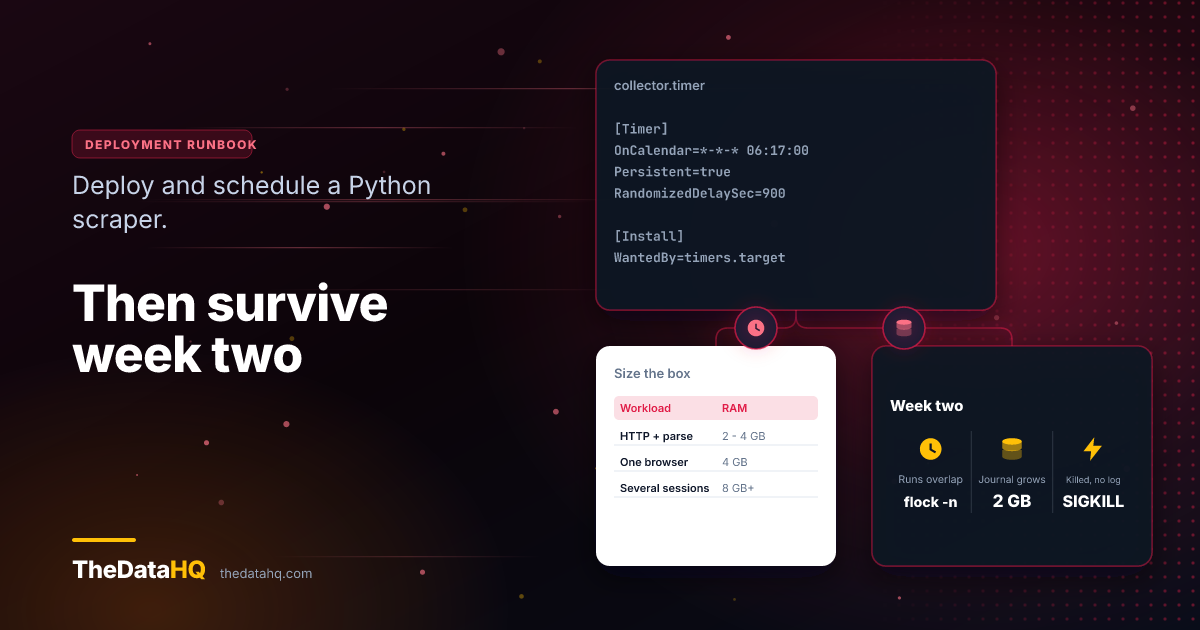
The script works. You've run it by hand maybe thirty times, it pulls what you need, and the output's clean. Now it has to run at 6am on a Tuesday while you're asleep, and there's nobody to hand it to.
Almost every guide on this ends at the moment your job runs on the server for the first time. That's the easy part, and it's roughly day one of four hundred. The things that actually kill these deployments turn up in week two, and they're not code problems - they're a disk filling up, two runs colliding, and a process that dies leaving nothing in your log file at all.
So here's the whole job. To deploy a Python scraper on a VPS and keep it running, you need four things: a box sized for what the script does, the code running once by hand as a non-root user, a schedule that survives a reboot, and an alert that reaches you when the run fails. The rest of this post is those four, in that order, plus the week-two failures that catch everyone.
Size the Box Before You Buy It
Start with what the job does, not with a price list.
If your script uses requests or httpx and parses HTML, it's small. If it drives a real browser, it isn't - and the difference is roughly a factor of four in memory.
| What your script does | RAM | vCPU | Notes |
|---|---|---|---|
| HTTP requests and HTML parsing | 2 - 4 GB | 2 | Comfortable. Most jobs live here |
| One headless browser at a time | 4 GB | 2 - 4 | A single Chromium instance wants 200 - 500 MB |
| Several browser sessions at once | 8 GB+ | 4+ | Budget 4 - 6 sessions on a 4 GB box |
Those figures are a hosting vendor's estimates rather than ours - vps.do publishes them and they sell servers, so read them with that in mind. They match what we'd expect, and we haven't measured them ourselves.
One trap is worth a paragraph on its own, because it costs people a day. Most VPS providers cap /dev/shm at 64 MB. Chromium wants 256 MB or more, and when it doesn't get it, it crashes in ways that look like your code is broken. Pass --disable-dev-shm-usage and it uses /tmp instead.
Get the Code There and Run It Once
Don't run it as root. Make a user for the job, and put the code in its home directory.
sudo adduser --disabled-password --gecos "" runner
sudo -iu runner

git clone <your repo> ~/collector
cd ~/collector
python3 -m venv .venv
.venv/bin/pip install -r requirements.txt
Note what's missing there. We never activate the virtual environment - we call the Python inside it by path. Get used to that now, because in a minute it's the difference between a job that runs and one that doesn't.
Secrets go in a file the repo has never seen:
cat > ~/collector/.env <<'ENVFILE'
SOURCE_URL=
DB_PASSWORD=
ALERT_EMAIL=
ENVFILE
chmod 600 ~/collector/.env
Now run it once, by hand, as that user:
cd ~/collector && .venv/bin/python collect.pyIf that works, you know the server can do the job. Nothing about scheduling has been introduced yet, so if it breaks now it's a dependency or a firewall, and you'll find it in about a minute. Skip this step and you'll spend an evening debugging cron for something that was never going to run.
cron or a systemd Timer ?
Short answer: cron if it's one job on one box and you'll remember it exists. A systemd timer for anything a client depends on.
Cron is three minutes of work. crontab -e, one line, done:
17 6 * * * /usr/bin/flock -n /tmp/collector.lock /home/runner/collector/.venv/bin/python /home/runner/collector/collect.py >> /home/runner/collector/run.log 2>&1Every path is absolute. The flock -n matters and we'll come back to it. So does 2>&1 - without it, errors go nowhere and you'll think the job ran fine.
A timer costs ten minutes and pays it back the first time something goes wrong. Two files. What to run:
# /etc/systemd/system/collector.service
[Unit]
Description=Nightly collection run

[Service]
Type=oneshot
User=runner
WorkingDirectory=/home/runner/collector
EnvironmentFile=/home/runner/collector/.env
ExecStart=/home/runner/collector/.venv/bin/python collect.py
And when to run it:
# /etc/systemd/system/collector.timer
[Unit]
Description=Run the collection every morning

[Timer]
OnCalendar=*-*-* 06:17:00
Persistent=true
RandomizedDelaySec=900

[Install]
WantedBy=timers.target
sudo systemctl daemon-reload
sudo systemctl enable --now collector.timer
systemctl list-timers collector.timerThree of those lines are doing real work. Persistent=true runs the job on the next boot if the machine was off when it was due - cron skips it and says nothing. RandomizedDelaySec=900 spreads the start across fifteen minutes, which is politeness toward the source and stops every box you own hitting at the same second. WorkingDirectory= and EnvironmentFile= between them remove most of the class of problem in the next section.
The thing you'll actually miss if you stay on cron is systemctl status collector.service. It shows the last run, the exit code, and the tail of the output. Cron gives you nothing comparable, and it's a strange feeling looking at a crontab line wondering whether it's been working for a month.
It Runs By Hand and Dies on a Schedule
This is the most common way a first deployment fails, and it's always the same cause. Your job doesn't inherit the environment you've been testing in.
When you SSH in, your shell reads your profile, sets a long PATH, puts you in your home directory, and remembers whatever you activated. A scheduled job gets none of that. Cron hands the job a minimal environment with a short PATH. Four things break, in this order:
- The wrong Python.
python3resolves to the system one, which doesn't have your packages. Call.venv/bin/pythonby absolute path and it stops happening. Don't try to activate the venv in a cron line. - The working directory. Cron starts you in
$HOME. A script that opensconfig.yamlworks when you run it from the project folder and fails at 6am. Same for anything reading a relative path. - Output files appearing somewhere odd.
open("output.csv", "w")doesn't fail, it just writes to whatever the working directory turned out to be. You'll find them in/home/runnereventually. - Missing environment variables. Your API key lives in your shell profile. The job never sees it. Use
EnvironmentFile=on the unit, or source the env file in a wrapper script for cron.
One rule fixes most of it: absolute paths everywhere, and set the working directory explicitly. If you're on systemd you get WorkingDirectory= and EnvironmentFile= for free, which is a decent argument for the timer on its own.
The Second Week
The job's been running for ten days. This is where the failures that end deployments live, and it's where every other guide on this subject has already stopped.
Two runs at once
Your job normally takes four minutes. One night the source is slow and it takes seventy. The schedule fires again at minute sixty, and now two copies are running - competing for memory, and writing to the same output file.
flock solves it, which is why it's in the cron line above. The -n means don't wait, just give up quietly if a run's already going. On systemd you get this for nothing: a oneshot service won't start while the previous run is still active.
The disk fills up
Every run appends to run.log. Nobody reads it. Four months later the disk is full and the job fails for a reason that has nothing to do with collection.
If you're logging to a file, hand it to logrotate - a few lines in /etc/logrotate.d/ and it's solved permanently. If you're on systemd, your output goes to the journal instead, which has the same problem in a different place. Journal directories quietly pass 2 GB on servers nobody checks:
journalctl --disk-usage
sudo journalctl --vacuum-size=500M
Then set SystemMaxUse=500M in /etc/systemd/journald.conf so you don't have to think about it again.
Something kills your job and leaves no note
This one's genuinely horrible the first time. The job stops mid-run. Your log file ends in the middle of a line. There's no traceback, no error, nothing - because Python never got to handle anything.
That's the OOM killer. When memory runs out, the kernel picks a process and sends it SIGKILL, and a headless browser on a small box is a large and obvious target. It writes nothing to your log, but it always writes to the kernel log:
journalctl -k | grep -i "out of memory"
dmesg -T | grep -i "killed process"
systemctl status collector.service   # look for Result: signal / SIGKILL
The fix is usually swap, a smaller batch size, or closing browser pages you've stopped using. Sometimes it's a bigger box - but check the first three before you pay for the fourth.
How You Find Out It Stopped
A job that runs isn't the same as a job that worked, and the gap between those two is where most of the damage happens. We've written about the four states a collection run can end in - the short version is that "it ran" covers two of them badly.
The cheapest useful alert takes five minutes. Put the alert itself in a script rather than inline in the unit - systemd does its own quote handling before /bin/sh ever sees the line, and that's a miserable thing to debug at 6am:
cat > ~/collector/alert.sh <<'ALERT'
#!/bin/sh
systemctl status collector.service | mail -s "collection failed" "$ALERT_EMAIL"
ALERT
chmod +x ~/collector/alert.sh
Then a unit that runs it, reading the same env file as the job:
# /etc/systemd/system/collector-alert.service
[Unit]
Description=Tell someone the collection failed

[Service]
Type=oneshot
EnvironmentFile=/home/runner/collector/.env
ExecStart=/home/runner/collector/alert.sh
Add OnFailure=collector-alert.service to the [Unit] section of collector.service, and that covers a crash and a non-zero exit. A fresh VPS has no mail setup, so mail won't send anything until you've pointed something at an SMTP account - msmtp is the least painful of those. Budget twenty minutes, once.
It doesn't cover the worse case: the job runs, exits zero, and writes an empty file because the page layout changed. For that you need the job itself to fail loudly - assert a minimum row count, and exit non-zero when you get fewer records than a quiet day should produce. Three lines of Python, and it's the single highest-value thing in this post.
Better still, alert on silence rather than on failure. A dead-man's switch - your job pings a URL on success, and the service tells you when the ping doesn't arrive - catches the case where the whole server is gone, which nothing running on that server ever will.
When a VPS Stops Being the Right Answer
A VPS is one machine, in one country, with one IP address. For a lot of collection work that's the correct and cheapest answer, and it'll stay correct for years. For some of it, it never will be - and no amount of tuning changes that.
Four signals, none of which is scale:
- The source changes shape faster than you can keep up. You're fixing selectors monthly and it's always urgent. That's not a hosting problem. It's what a retainer covers, and it's the honest reason most people stop self-hosting.
- You need more than one place to run from. Geography, or volume the source won't sensibly serve from a single address. One box can't become two without becoming a system.
- Someone else now depends on the output. The moment a client or a colleague builds a report on your 6am job, "I'll look at it tonight" stops being an acceptable response.
- You're spending more hours on the server than on the data. Count them for a month. People are consistently surprised.
We wrote about this from the other direction after customers asked to run collection themselves: we built the tool, and most of them ended up on a delivered extract. Not because the tool was bad. Because what they wanted was control over the questions, and they'd assumed that meant control over the machine. If you'd rather the schedule were somebody else's problem from the start, that's collection running on a schedule we maintain.
If you've got a working script and a spare evening, deploy it. Genuinely - the setup above is a couple of hours and you'll understand your own pipeline far better for having done it. Come back to signal three when it arrives.
And if you'd rather not own a server at all, send us the source and the fields you want, and we'll run a free sample so you can see what comes back before anything changes hands.